
Web & Mail Control Panel
Log in to your my.green.ch customer portal with your MY user.
Then navigate to the Web & Mail Control Panel.
Accessing the Web & Mail Control Panel
Click on WEBHOSTING.
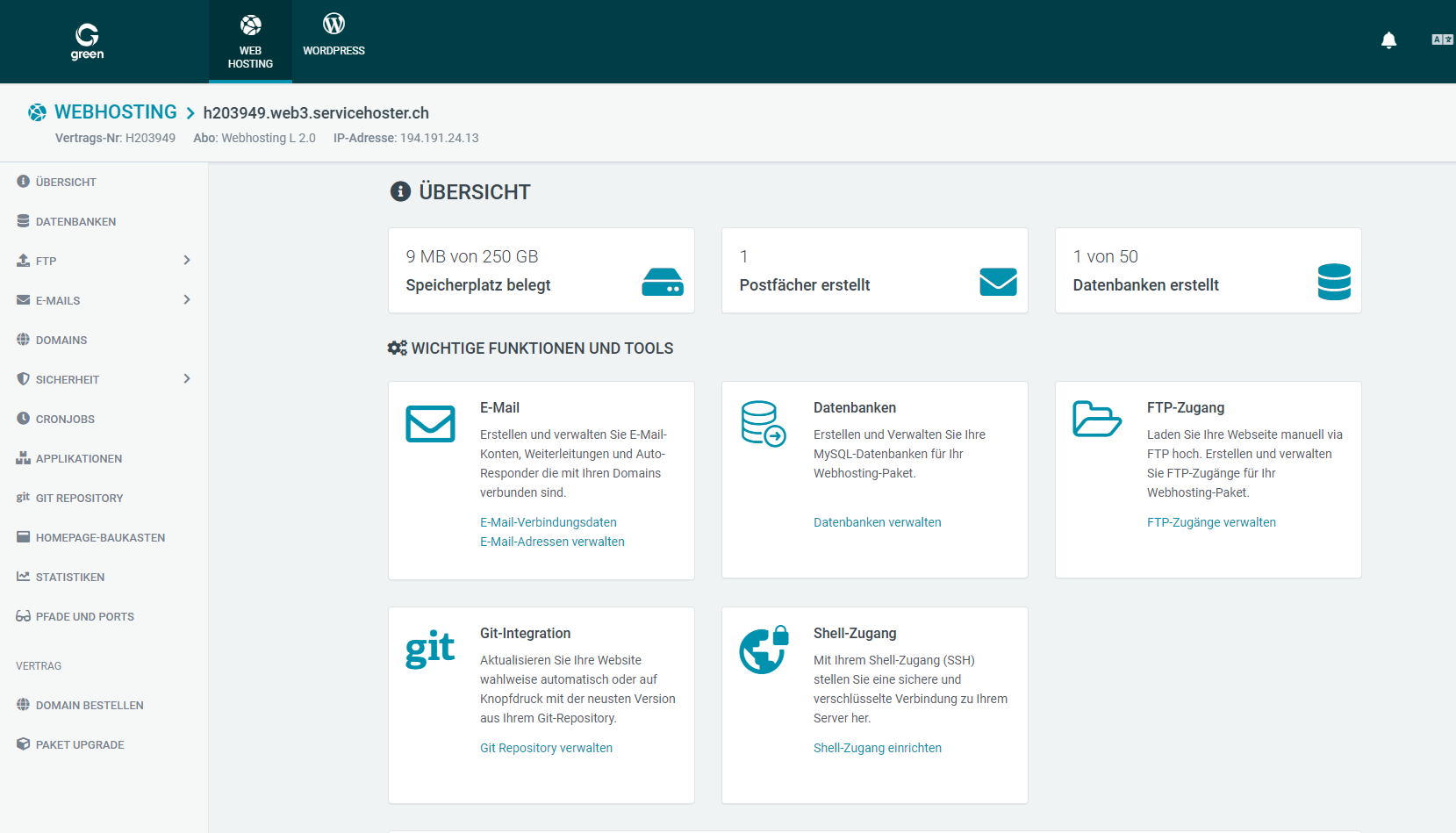
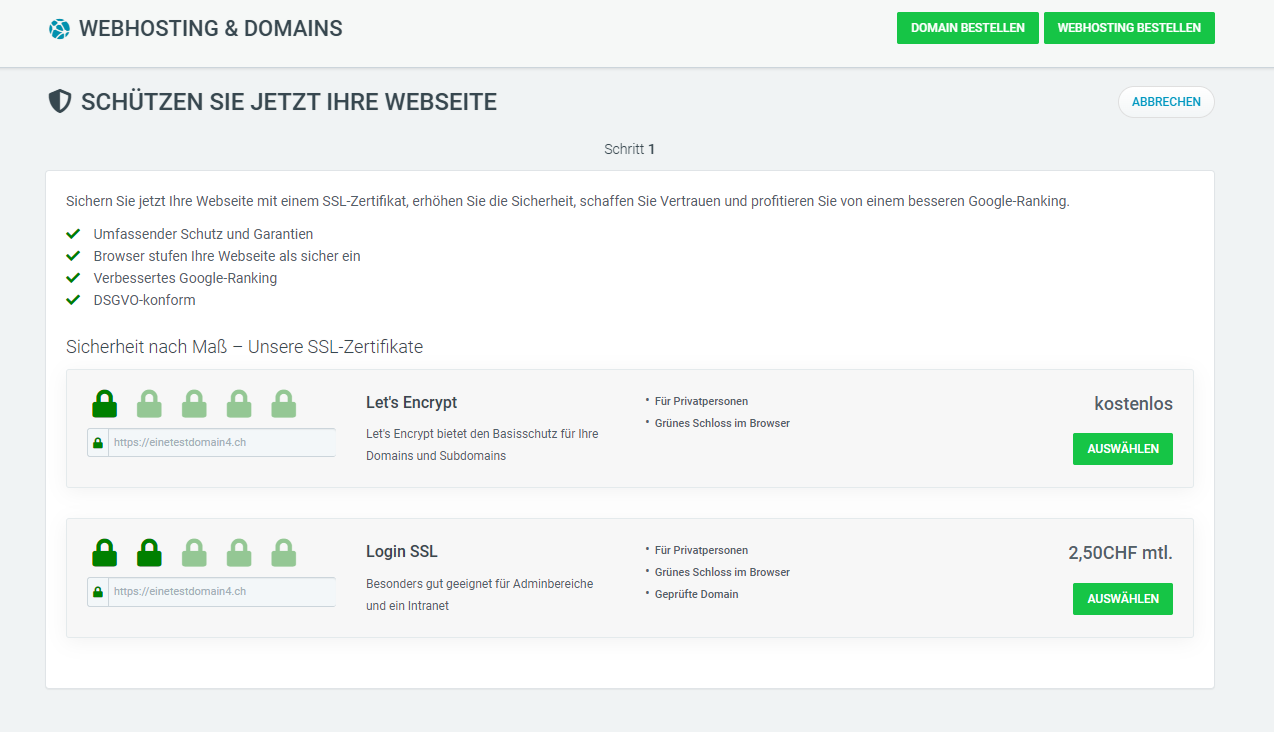
Click on the lock symbol for the domain for which you want to activate the SSL certificate.

Note: The first option from Let's Encrypt is free of charge for you. The second option, Login SSL, is available for CHF 2.50/month.
Tick the two boxes after you have read and understood the terms and conditions and the privacy policy.
Then click on APPLY FOR CERTIFICATE.
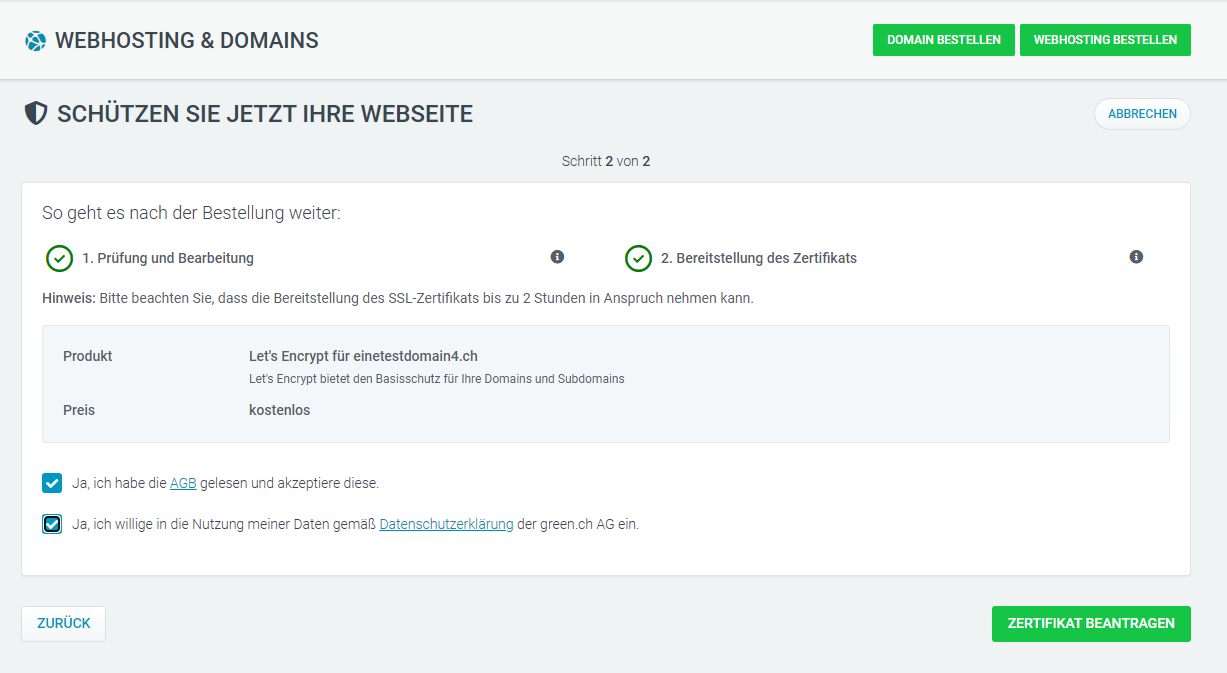
The certificate for your domain will now be ordered. As soon as the order has been completed and the SSL certificate is active, the lock symbol appears in green.
Note: Installation and activation can take up to 2 hours. If the website is displayed as insecure in the web browser despite the green lock symbol in your Web & Control Panel, please report this to our customer service.